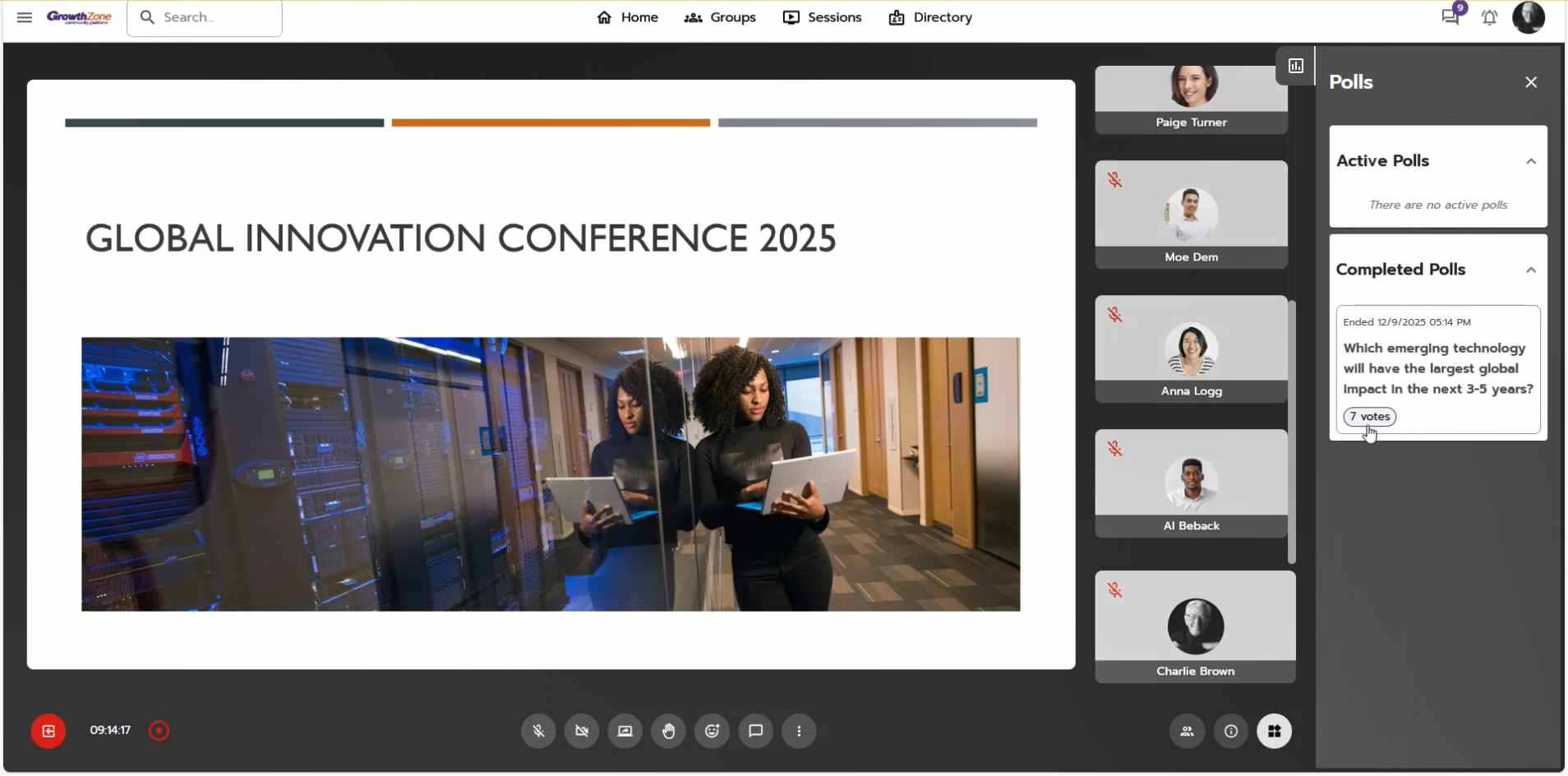
Introducing Session Polls: Real-time engagement built directly into your sessions

Introducing Session Polls: Real-time engagement built directly into your sessions
Feature Release: 12/11/2025
We’re excited to announce Session Polls, an integrated polling feature that lets organizers and moderators launch quick, interactive polls during a live session. Attendees can respond instantly, and hosts can use real-time insights to guide conversations, check audience understanding, and boost participation - all without leaving the session.
Highlights:
- Launch polls instantly during a live session to engage your participants.
- Single or multiple selection options depending on your question type.
- Flexible timing: set a poll duration or end it manually at any time.
- Configurable results visibility: choose whether attendees can view poll results.
Quick Guide: Using Session Polls
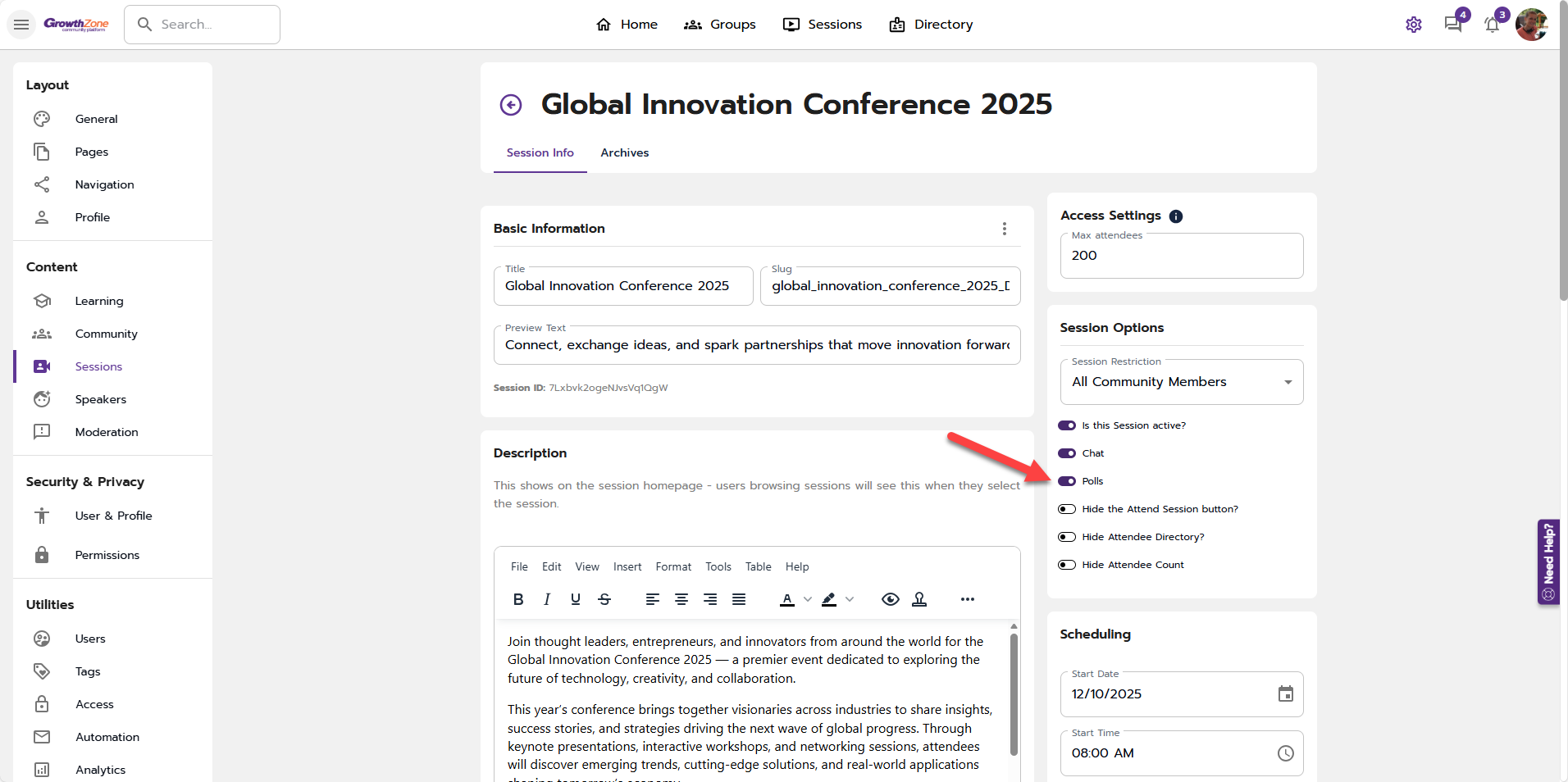
Enable Polls for your session
Before your session begins, confirm that the polling feature is turned on.
Where to find it:
- Click the gear icon.
- Under Content, select Sessions.
- Open your session.
- In Session Options, enable the "Polls" toggle.
Starting a Poll during a Session
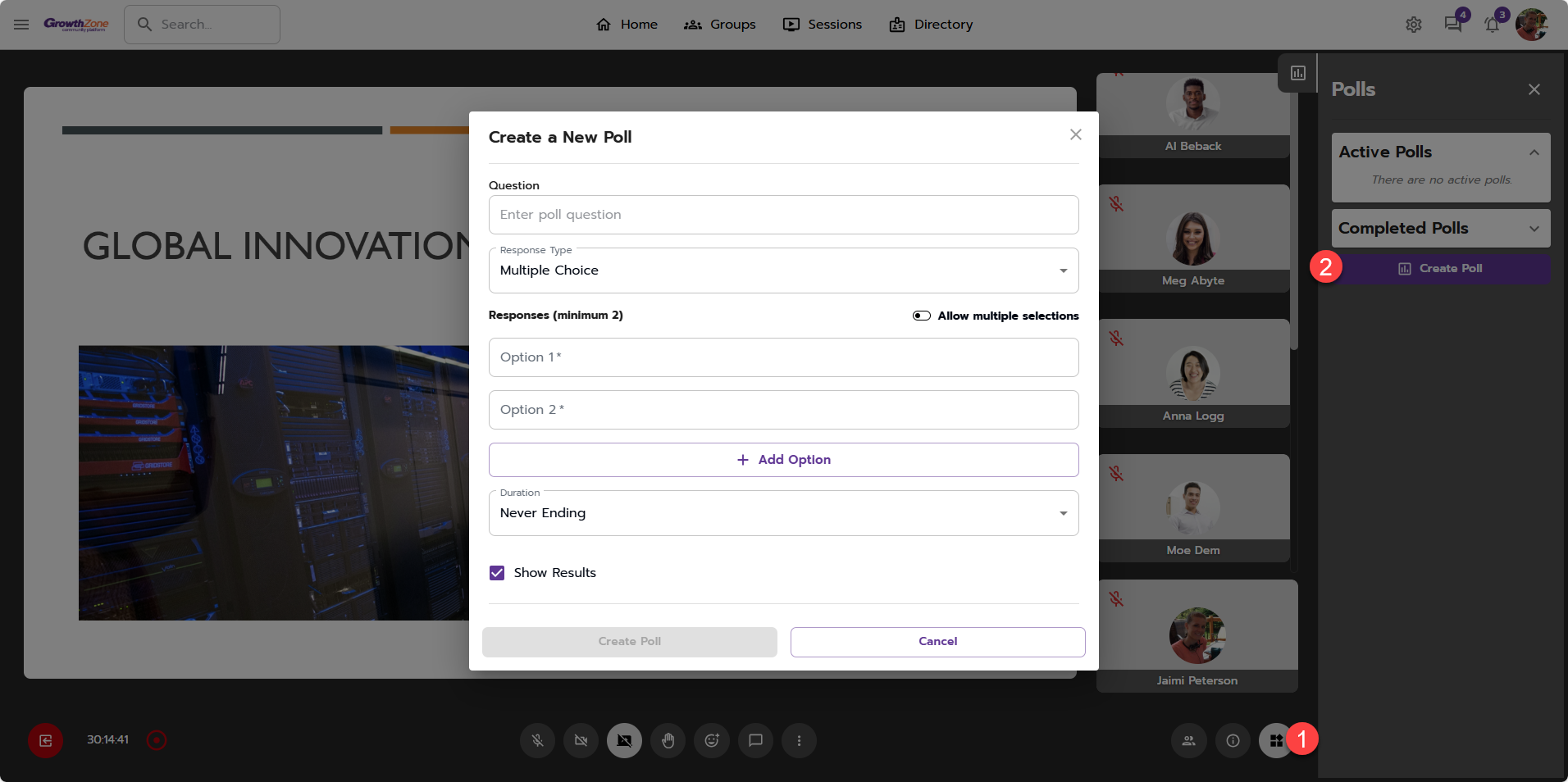
Create a Poll
Organizers and Moderators can create polls at any time during the session.
Where to find it:
- While in a session, click the Activities icon to open the activities panel.
- Select "Create Poll".
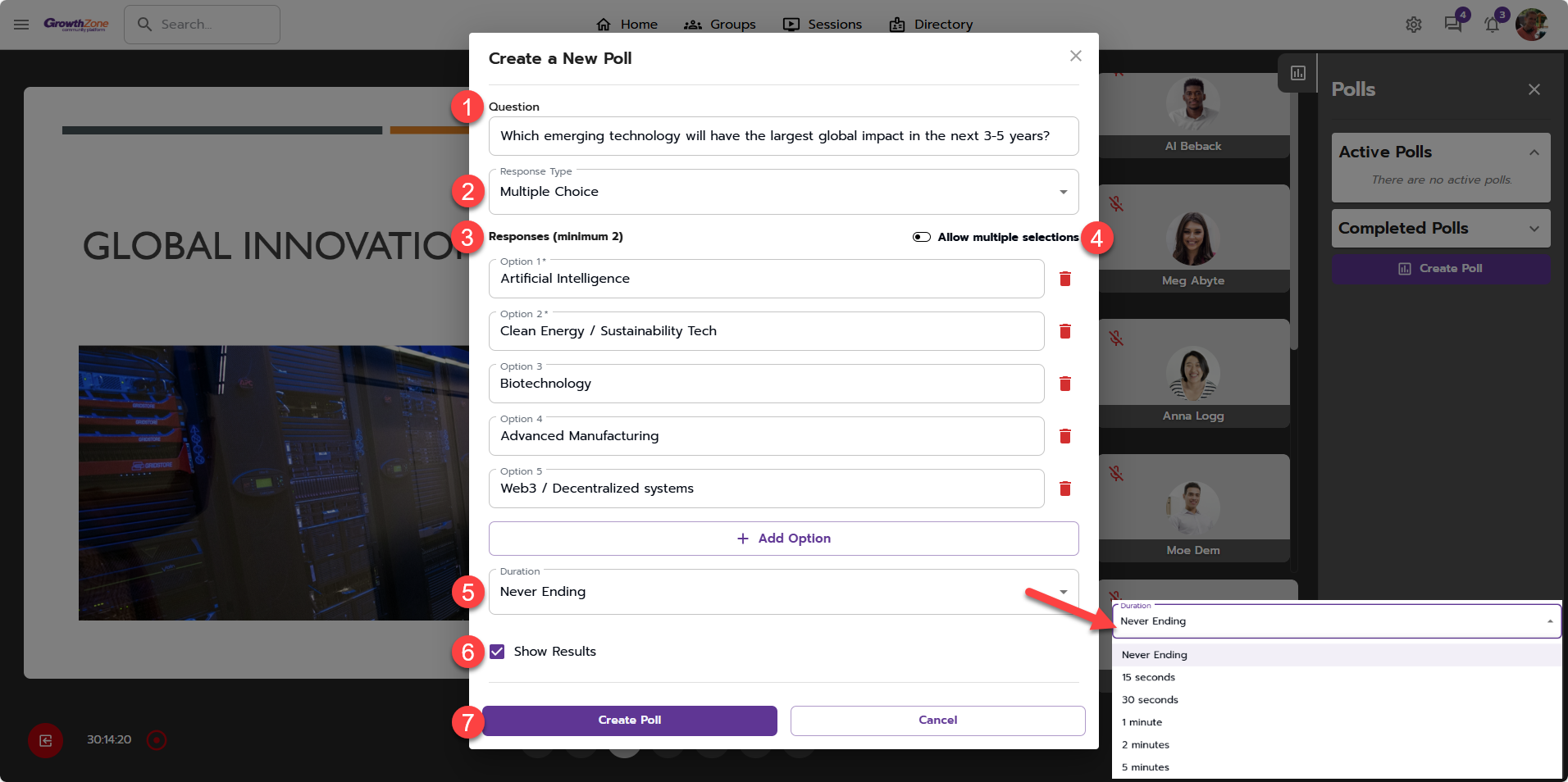
Within the "Create a New Poll" Modal
- Enter your poll question.
- All polls use the multiple choice response format.
- Add your response options.
- Choose whether to allow multiple selections, or keep answers limited to one.
- Select a poll duration, which determines how long the poll remains active before automatically ending. (note: organizers and moderators can end a poll early at any time.)
- Decide whether to show results to attendees.
- Click "Create Poll".
Poll Notification
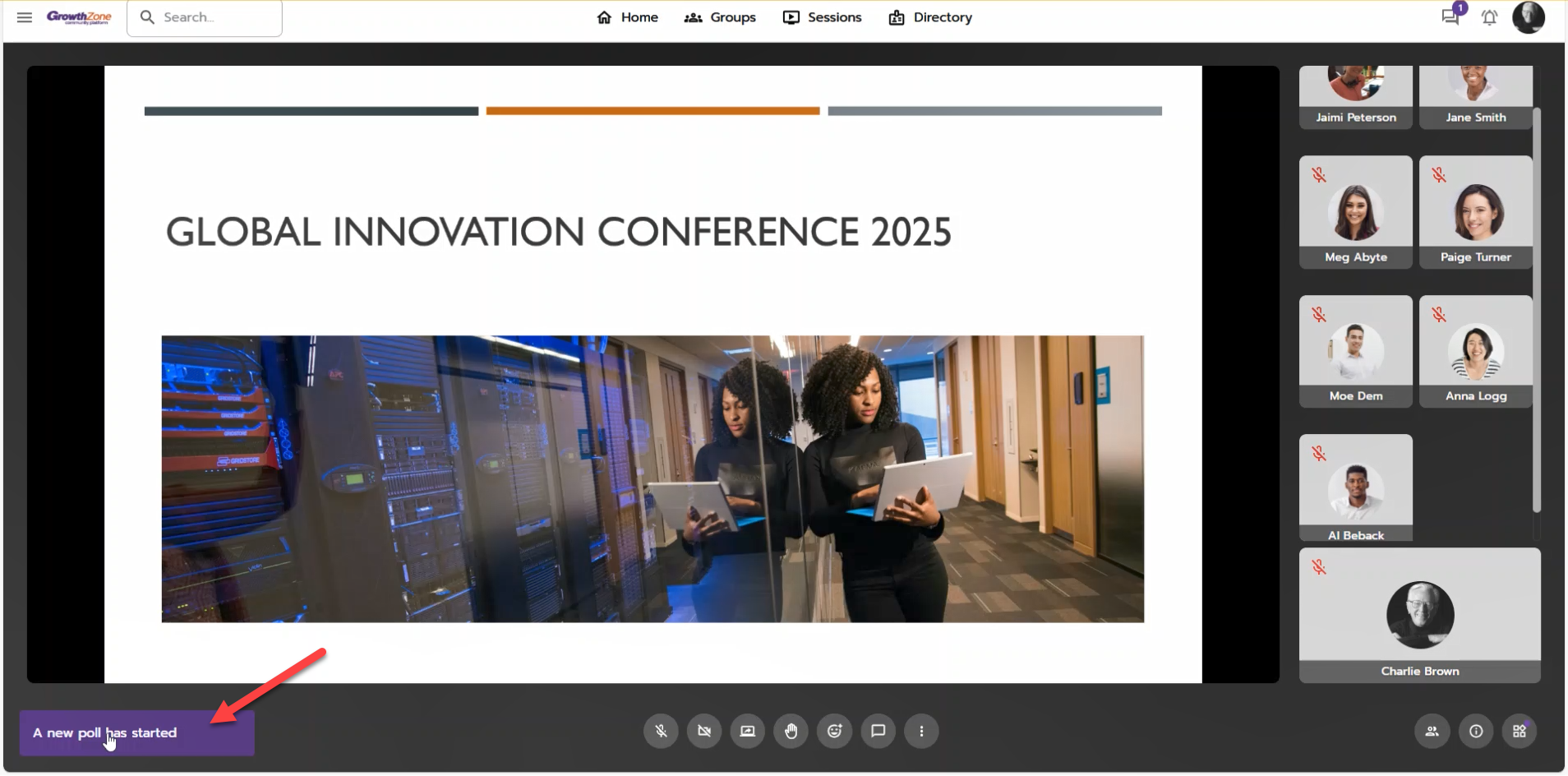
When a new poll is created, attendees receive a snack notification in the lower left corner. Clicking it brings them directly to the Polls activity tab/panel.
Participating in a Poll
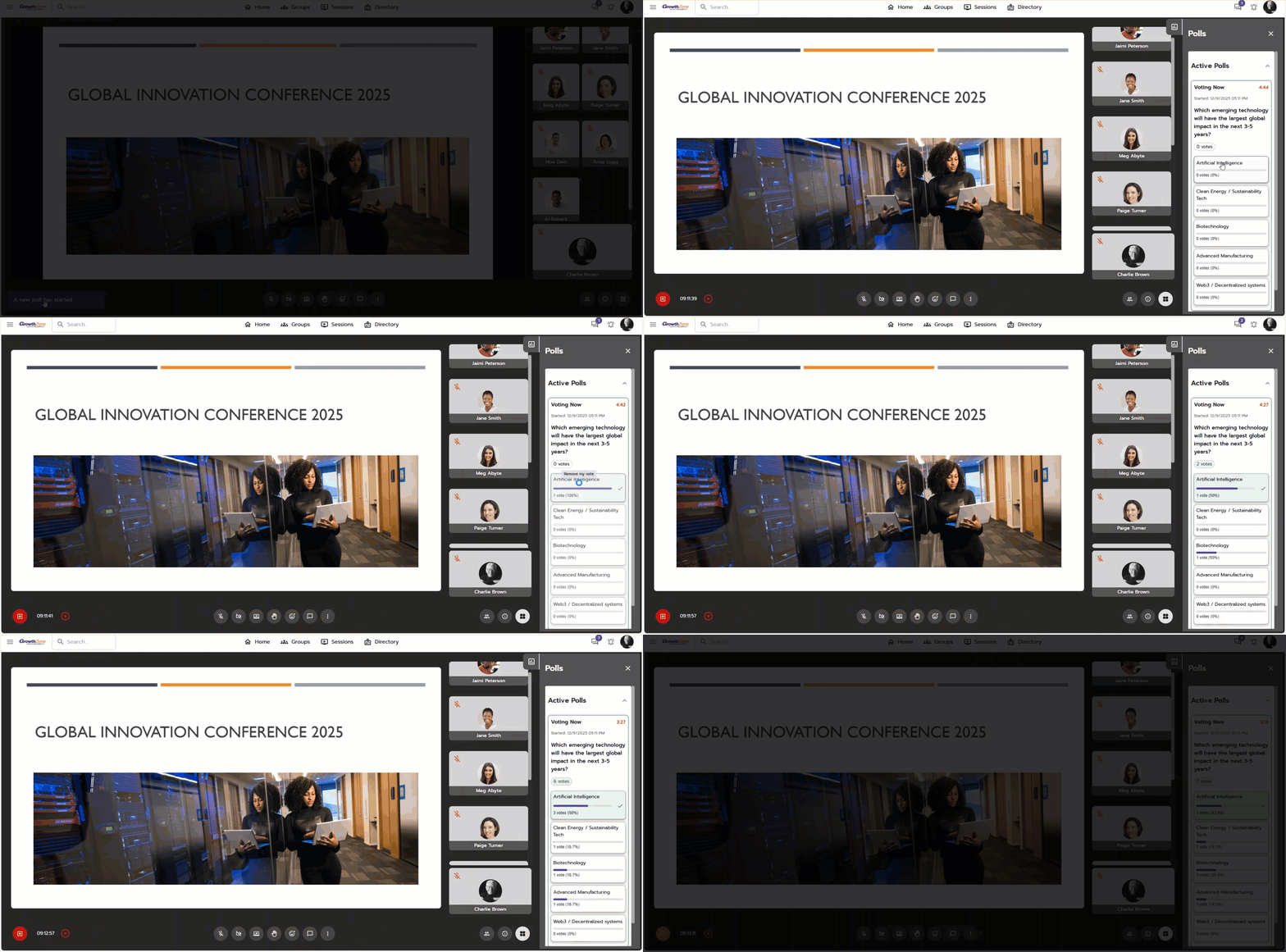
All attendees, regardless of role, can vote. A vote counter displays the number of responses. If results are visible, attendees will see real-time bar graphs and counts updating as responses come in.
Ending a Poll
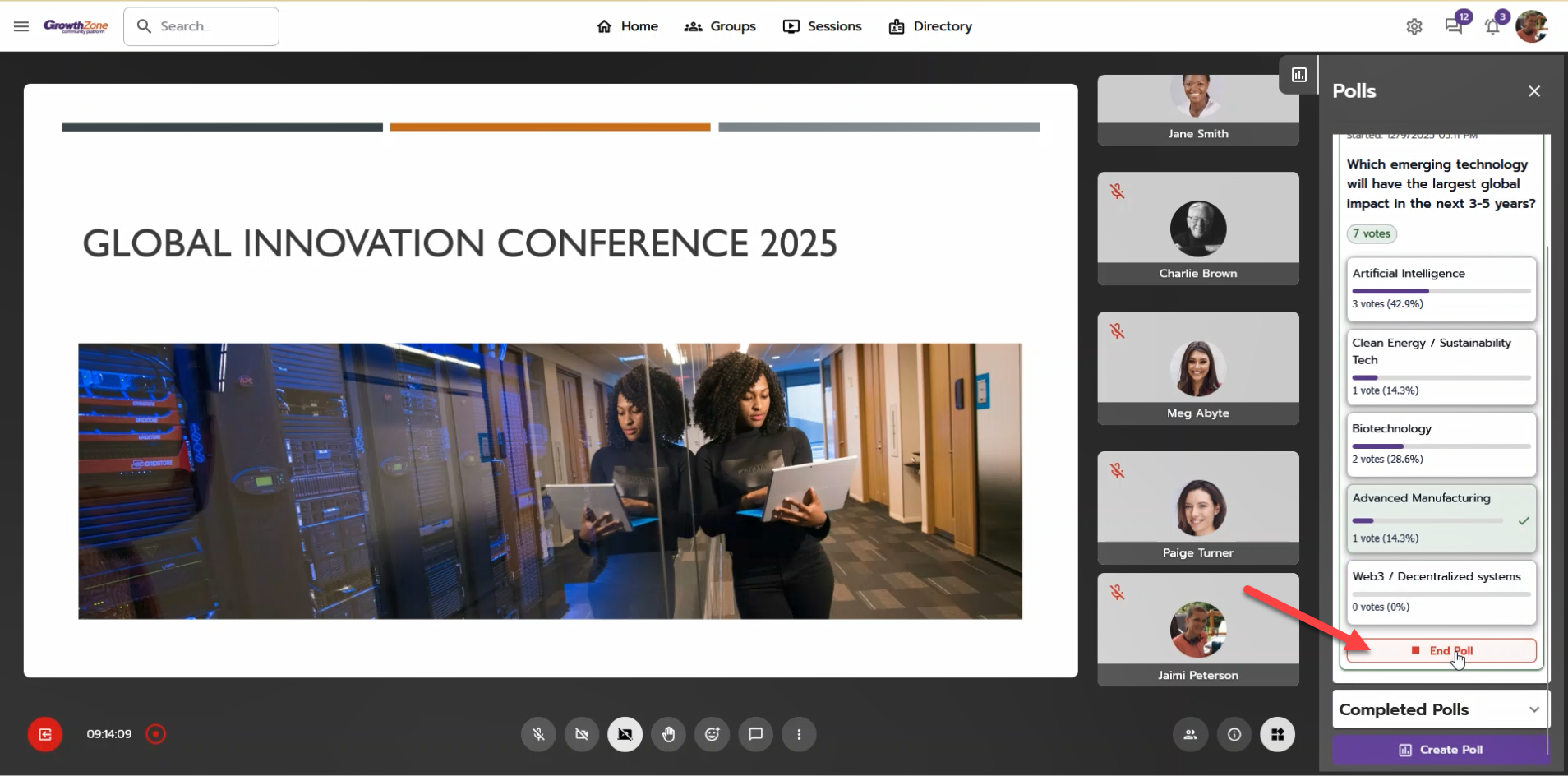
Polls will automatically end when the selected duration expires. Organizers and moderators can also manually end a poll at any time, even before the scheduled duration is complete.
Completed Polls
When a poll ends, it automatically moves from Active Polls to Completed Polls, where results (if visible) can be reviewed.